
Smartboy
-
Posts
21 -
Joined
-
Last visited
-
Days Won
5
Everything posted by Smartboy
-
TV flickers on and then goes off
Smartboy replied to hdueck's question in LG webOS Smart TV Questions
Hello hdueck, I ran into a similar problem on a LG TV of this age a few years ago. All you said (filckering, goes off, red light fashes) indicates a power problem inside the TV. There is normally a power board in the TV that is used to convert the type of electricity from the plug (230 volts) into some other kinds of electricity inside the TV. This board contains cheap condensers that last around 10 years. A temporary solution is to heat the back of your TV (at the point the electric cord is coming into the TV) with an hair dryer a few minutes. Generally the cheap condensers like heat and then after a few minutes you can restart the TV. This is also a good indicator to know the issue. Then you have 2 solutions, or 3 actually. You can demount the back side of the TV, locate the power board and either fix it (locate the bad condensers, remove them and replace them with better new ones for 10€) or replace the entire power board by a new one (easier but more expensive - around 50€). The third solution can be : you replace the TV by a new C6 LG TV (kidding) ! There are many tutorials on youtube about this kind of problem and how to fix it. Or you can bring your TV in a repair Café or to a TV specialist (but in that case it could be around 150-200€). Hope this could help. NB in my case, I choosed to buy and change the board myself. -
Install/Allow Kodi app to be installed on webOS
Smartboy replied to The Old Man's topic in LG webOS Wish List
Hello The Old Man, I understand what you mean when you want a different approach based on the freedom and customization of your TV software. And Kodi approach is really great on that. Unfortunately, most TV providers choose to control their TV operating system and also put some restrictions to the applications. Personally, I don’t think to fight against the TV giants is a good idea. Kodi runs on a PC and you can find very small and powerful mini PC (like the Geekom ones for example). This is what I have done. And it is all perfect. You just use the LG TV as a display, a pure display to a small pc box connected to the hdmi input. Then you can customize everything that you want in the Kodi running in the PC. No need to beg LG to whatever you want. -
Install/Allow Kodi app to be installed on webOS
Smartboy replied to The Old Man's topic in LG webOS Wish List
Hello The Old Man, after reading this post, I think there is a misunderstanding about who should make Kodi available in WebOS on LG Tv. Normally the Kodi team is responsible for preparing an App to deal with all the constraints that LG provides and then there is a long process to be followed by the kodi’s developers so that the application will be compliant. At the end of that process, LG will accept or refuse the application if the rules (fromLG) are or are not followed by Kodi. As far as I know, Kodi is an open source media player and people are free to develop and write an application for lg webos. I am not working for LG but here you can find some more details https://webostv.developer.lge.com/distribute/app-approval-process I suggest that you try some other solutions like PLEX that is a great client-server application where the client is part of the content store and run on webos, and the plex media server can run elsewhere on your pc for instance. And then you have even more what you already do with Kodi… in minutes !! -
Hi RedLund, like you when I bought my very first OLED LG TV a few years ago, I also had the same thoughts : why LG made the webOS so locked down ? Also like you I was looking for a smarter remote, easier to use and a nice interface ala android. For elder people, webOS is a nightmare ! I tried to find a way to workaround webOS or even to reprogram some part (yes there is a web OS open system) but this is too heavy to change and to maintain. I end up with NOT USING WEBOS. This is sad but I have some people at home that cannot use complex devices. So the only choice is to use either an android box or Apple TV 4K. For the quality and simplicity, I choosed Apple TV which comes with a nice small remote and nice easy-to-use interface. And offers a verygood image quality !
-
Can you guys install Spotify app on your LG TV
Smartboy replied to anna groove's question in LG webOS Smart TV App Questions
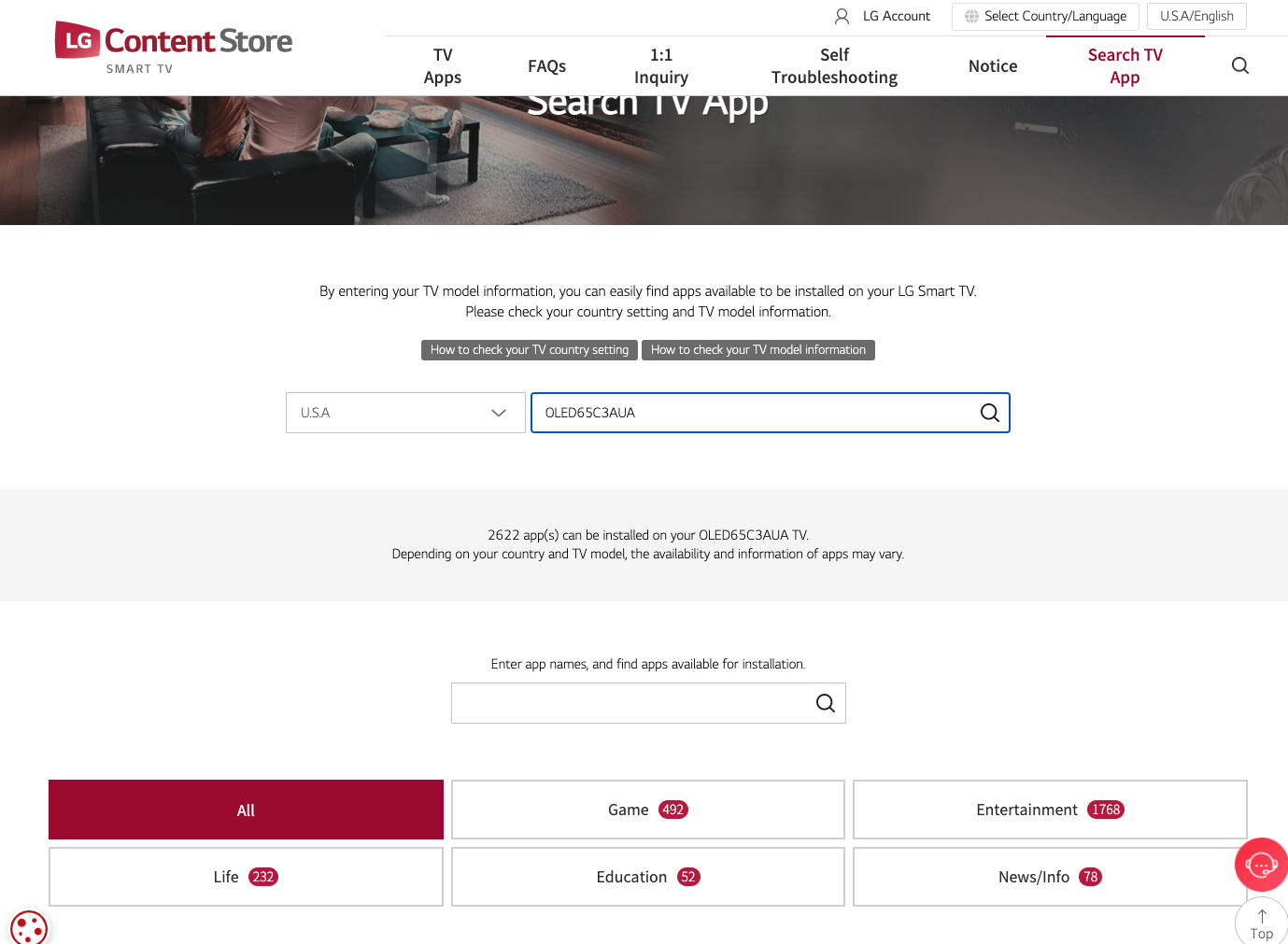
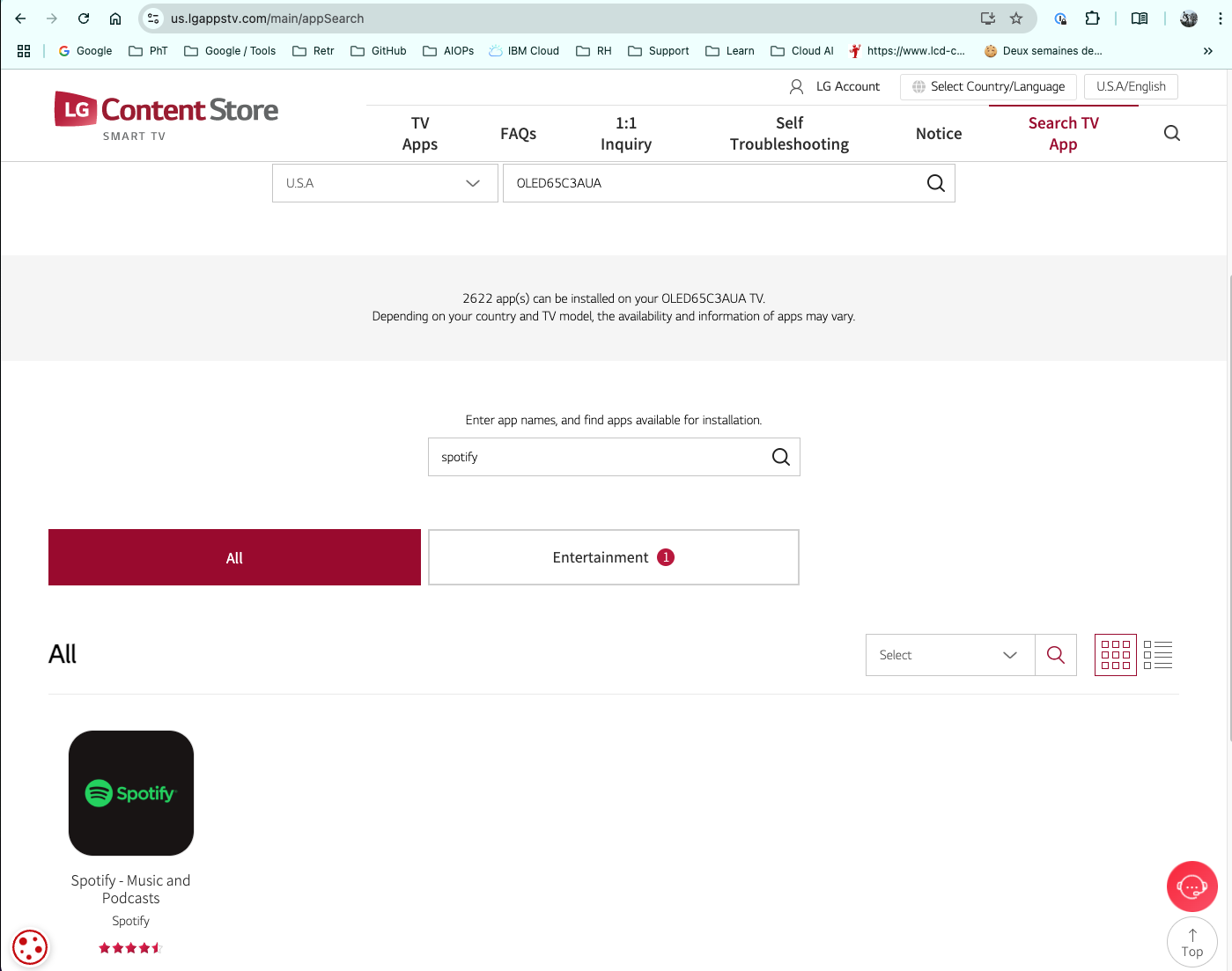
Hi Ana, I have a quite recent LG OLED 65 C3 (2023) which is a "smart" TV. When I first installed the TV, I also installed a lot of applications (that you can find in the LG content store). Of course I installed SPOTIFY among all the apps. Among all the new LG TVs, those that are using webOS are all elligible to get access a lot of app in the LG Content Store. From https://us.lgappstv.com/main (please change us with your country 2 letters), you can search for a specific model (for exemple mine is OLED65C3) for a specific application (for example SPOTIFY) or you can list applications supported. Generally when you have a webOS TV, there are generally like 3000 apps that you can install on your smart TV. Hope this will help you.
-
TV OLED LG 65C3 randomly shutdown
Smartboy replied to dinoc's question in LG webOS Smart TV Questions
Hi BozaB, did you also upgrade to a recent webOS version just after the C4 installation ? You can check that in the setting (wheel) menu from the magic remote. You can also see if you have notifications to ask you some actions (like updates). I suggest that you update to the latest version that you can (for the c3, this is the 23.20.50). I don’t have it for the C4 … Also, I only have 2 devices connected to my LG Tv (a box and a sound system). I suggest that you disconnect some of these devices (one by one) and check if you still have the issue. -
TV OLED LG 65C3 randomly shutdown
Smartboy replied to dinoc's question in LG webOS Smart TV Questions
Hello Dinoc, I am also a user of a LG C3 65OLEDC3. I have recently upgraded to 23.20.50 like you. Everything is working fine. Except that sometimes there are some short interruptions on different streaming platforms like Netflix or Fubo or even Youtube. BUT the TV is not rebooting. The worse is that recently I got a kind of 30 secondes retro feedback on Netflix and Apple TV (I mean, I was looking at the TV when suddenly it went back to 1mn ago in a series). No SW crash, no rebbot ... Could i be a fiber issue ? -
How do I get rid of the line of inputs on bottom of Home Screen?
Smartboy replied to pingber's question in LG webOS Smart TV Questions
Hello pingber, I am a LG user like you. You have a C1 and I have a C3. Netherless, the home screen should look like the attached picture of my home screen (sorry it is in french). The last row contains input and some documentations in my case. If this is also your case, then for this last (bottom) row you cannot change it. Witht the lastest WebOS version, you cannot remove the different rows. Unfortunately, WebOS is quite rigide : and you cannot really customize and simplify the home screen. Phil. IMG_4066.HEIC -
remove unwanted tiles home office game music a.s.o.
Smartboy replied to Chris Schults's question in LG webOS Smart TV Questions
Hello Chris, you can remove most of them by using the edit CARD. In your Deutch documentation, find a chapter called : "Manage LG webOS TV Home" and then "Edit Card List". However you cannot remove the Edit Card button after removing all cards. But it is better than nothing. -
LG C3 turn on with Web OS logo.
Smartboy replied to Mano1496's question in LG webOS Smart TV Questions
You english is perfectly correct. I am French and member of this community group (not a LG employee). I also bougth the C3 TV recently and I also have this logo that takes 2 seconds or so. But I choose to go directly to the "recent input" (your Entrada Reciente) so I bypass the LG menu (there is a paramter for this). However, I think your question is about how to bypass the logo, isn't it ? I don't have the answer for that. I think the logo is "mandatory". Phil. -
can i communicate with a smart tv? and how can i do it?
Smartboy replied to ccinterod02's question in LG webOS Smart TV Questions
I remember that in the webOS menus, there are a "hotel mode" in the menu setting ... I am not sure if it is going to solve your issue ... Check "LG Hotel mode" on Youtube -
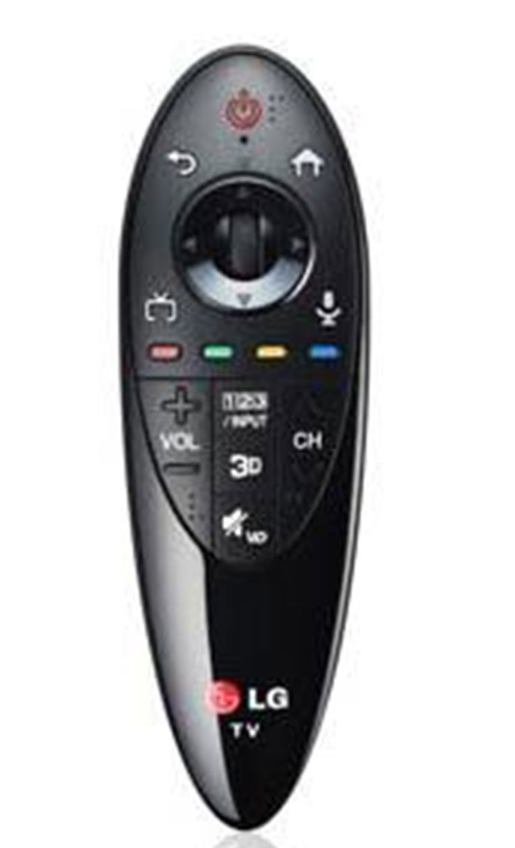
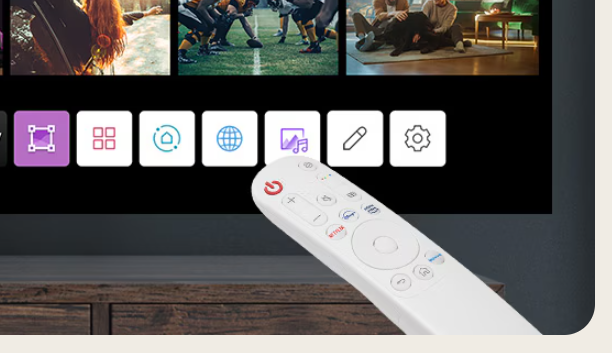
Hi all, I am trying to find a solution to the native but complex "magic" remote control from LG. For elder or young people, this magic remote control with the OLED C3 TV is too complex or too busy (using a lot of unused keys. The new model for remote control is now either the Apple TV RC, the Android TV RC or the Google TV remote control. All these RC are small, easy to use with only 10 to 15 keys instead of the 40 to 50 keys. I saw that. in the past LG introduced smaller remote control (see below the first image LG AN-MR500) but I am not sure it is supported with the LG OLED C3. I also saw that the latest projector CineBeam Q comes with a small new RC (see bellow). This new white RC has only the necessary keys (max 10) and seems to be fine ! Also, the new C4 is coming seoon and I suppose it will include a new Remote Control but we don't know yet what it is ... Do you have an idea to solve my issue ?
-
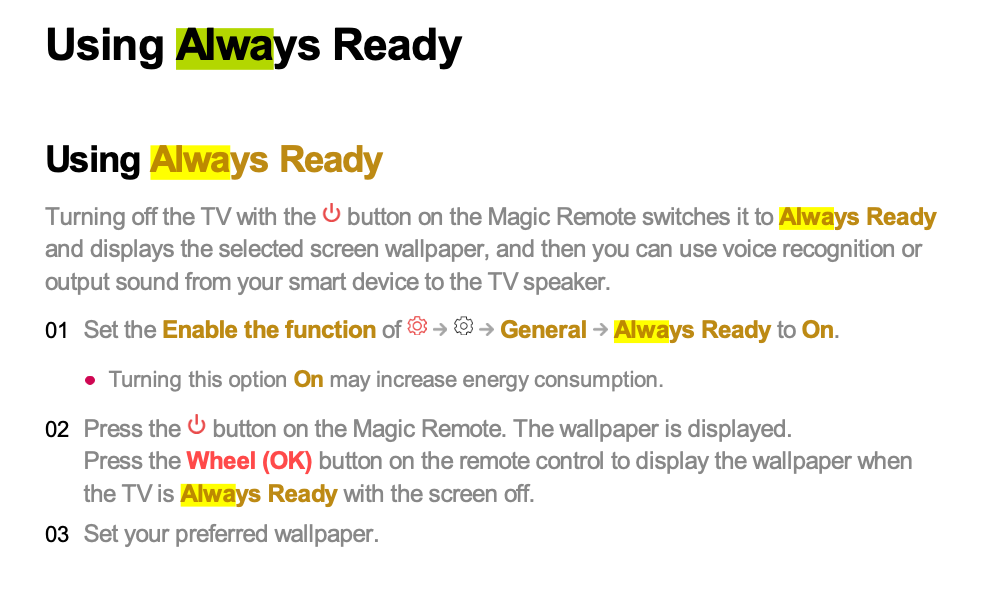
Hello Jibun, I also bought a brand new LG TV C3 model recently and everything is working as expected when I power off. Maybe you have set the always ready mode (see the picture below) ?
-
Magic remote + Xiaomi mibox
Smartboy replied to 65Nano816's topic in LG TV and LG webOS Smart TV Discussion
I also have the same issue : in the documentation of my LG TV C3 (see the attached file), there is a chapter called "Setting Universal Control" where it explains how to set up automatically or manually the magic remote to get access to your external device (in that case the MIBOX). I tried both configuration but it doesnt work ... or I missed something ... w23_mr2_eu03_eng.pdf -
How to disable completly the pointer/cursor
Smartboy replied to Smartboy's question in LG webOS Smart TV Questions
After some research, I think this is almost impossible to turn off the floating cursor ! Because some applications like the web browser for example is using it. I really think that for elder people, it is very disturbing. In my search I also found some "compatible" remotes where the pointer cannot be activated. BTW, I didn't buy any of these remotes ... This could be a workaround (or not). I simply reconnected my Android TV box and I am using the very simple Android remote (6 keys ... but not called a magic remote). Another possibility could be to rewrite the webOS it-self from the github web site but I am not sure to want to spend days on that question. -
Hi webos_24, I have the same issue and I came to the same conclusion. You cannot delete a lot of things in the home screen. The only way to solve that problem is to get rid of webOS ... I used a connected xiaomi MI BOX S and I connect automatically to it at startup (and also use HDMI CEC so that I can use the MI BOX remote to control startup and shutdwon of both MI BOX and LG TV at the sametime). It is working really great. For elder people, I also use a FLauncher application in the android MI BOX that presents a nice clear and simple menu to launch the list of streaming applictaions. btw, i don't use any cable or live TV ... Hope this could help. NB: it is a pity that this webOS is not an open software ...
- 1 reply
-
- 1
-

-
How to customize WebOS home screen
Smartboy replied to Smartboy's question in LG webOS Smart TV Questions
After some tests on WebOS 23 on the home screen, you can just remove the ads, remove all the tiles (or cards) except the "Mofify" card that will stay in the middle of the screen. Concerning the "Apps" bar, you cannot remove some specific ones like the browser, the dashboard, ... And finaly the bottom items cannot be removed at all (you can just remove the recommendations from the general parameter menu). To summarize, you cannot customize the home screen ... It is really a pity. -
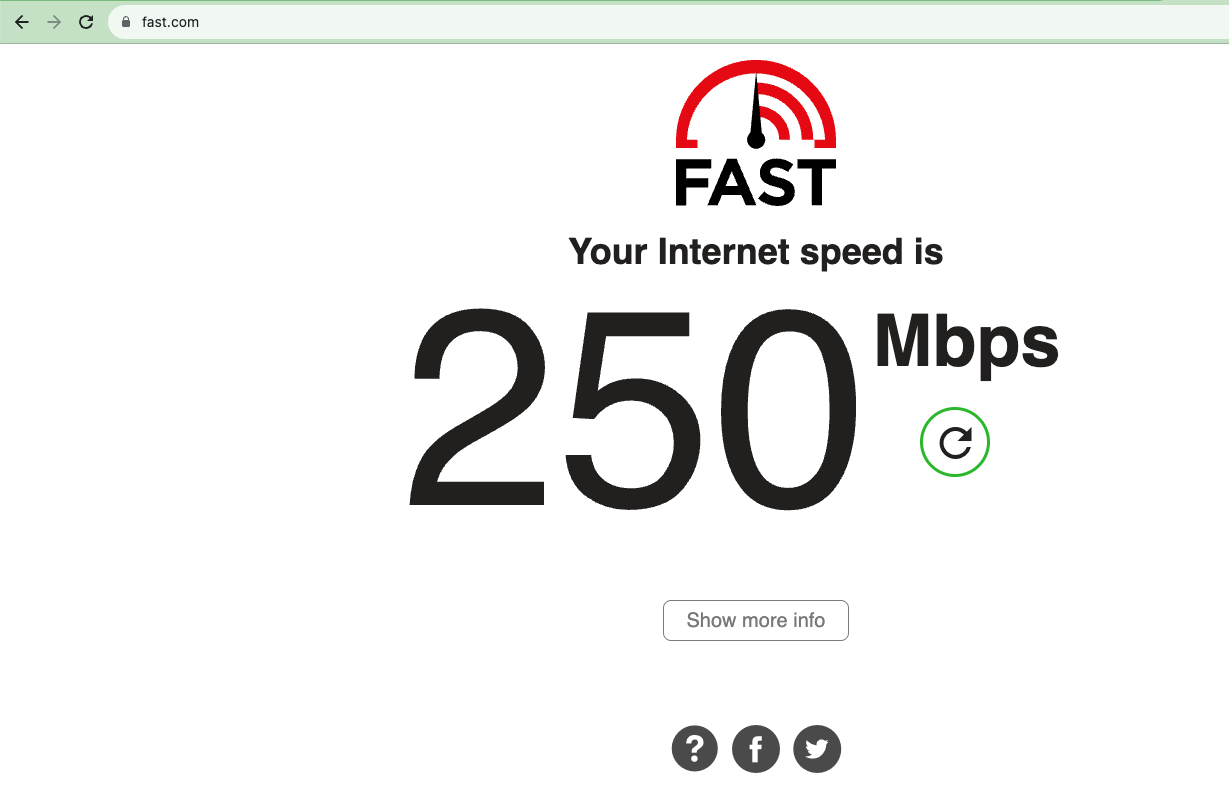
My answer is more a workaround to your question : in the Web App bar, find a browser and type fast.com in the URL field.
-
How to disable completly the pointer/cursor
Smartboy posted a question in LG webOS Smart TV Questions
Before I buy this very nice LG TV with WebOS 23, my wife and I were using an old samsung with an android TV box. So it is very difficult to adapt to the cursor / pointer. I read the documentation and found it is possible to press the direction buttons to momentarely remove the cursor (which is painfull to navigate for us). But each time I press one of the home, return, wheel buttons, then you know what, the pointer is back on the screen. I read the documentation from A to Z and didn't find any parameter to permanently DISABLE the pointer ... Any workaround or parameter that I missed ? -
Hello guys, this is my first question in this blog. I just bought recently a LG OLED65C3 and I am very happy. However, I would like to simplify the homescreen as much as possible. I already removed the ads in the top part of the screen. Then I would like also to remove the colored tiles (dashboard, music, advice ...), not sure it is possible. I would like to keep the app bar in the middle, of course. Finally, I want to remove the bottom of the screen like the TV Guide, user's guide ... Do you think this is someting possible ? Aslo in the web app bar in the middle, there are some applications like Sport Alerts or Dashoard I cannot remove from the bar ... It would be nice to be able to simplify all the home screen for my elder and kids.
-
In France, we do have the Molotov by Fubo. Which could be different from the original Fubo. Well, Molotov by fubo is part of the LG content store. But may be this the French app is different of what you need.